Pages

October 31, 2018

Why You Shouldn’t Use (Most) Alternative Browsers Based on Google Chrome

Google Chrome is based on Chromium, an open-source browser project. Anyone can take the Chromium source code and use it to build their own browser, renaming it and changing whatever they like. That’s why there are so many alternative browsers based on Google Chrome—but you don’t necessarily want to use most of them.
Many web sites have recommended these browsers in the past—including us, in this very post. We’ve since rewritten this article to discuss the problems with some of these alternative browsers, and why we no longer recommend using them—with a few exceptions.

The “Secure” Comodo Dragon Had Big Security Problems

Comodo Dragon is a Chrome-based browser made by Comodo, a security company. It’s installed by default with Comodo Internet Security.
You’d think a “secure” web browser made by a security software company would be…well, secure, but it’s had some big problems. Google’s Tavis Ormandy found that the browser shipped with a serious problem that destroyed the security of HTTPS encryption. As he put it: “Chromodo is described as ‘highest levels of speed, security and privacy’, but actually disables all web security.”
Comodo responded by issuing a fix that didn’t actually fix the problem. Comodo did fix it eventually, but that doesn’t change the fact that such a glaring security problem shipped with the browser. Companies like Google, Mozilla, Microsoft, and Apple have never made such a big mistake in their products. Comodo doesn’t sound like a company we’d want to get our web browser from.

SRWare Iron’s Privacy Claims Are Exaggerated, and It’s Slow to Update

SRWare Iron promises to remove various privacy-infringing options from Google Chrome. But it isn’t as good as it sounds.
Right off the bat, there’s something we don’t like: On March 17, 2017, the latest version of SRWare Iron was version 56.0.2950.1. The latest version of Chrome was version 57.0.2987.110, released on March 16. That means SRWare Iron was missing more than 36 security fixes that Chrome had for over a week.
That’s because SRWare Iron’s developers have to do some work to release those security fixes whenever Google releases a new version of Chrome. It’s not instant, and these third-party projects may take a long time to issue updates if their developers are busy.
But here’s the real kicker: you aren’t really getting any extra privacy out of SRWare Iron. Most of what SRWare Iron does is possible through Chrome’s regular privacy settings. And if you enable those tweaks in Chrome, you’ll get the latest security updates without waiting for and trusting another company.

Chromium Isn’t For Users (Except on Linux)

Google doesn’t want you using the open-source Chromium browser. That’s why the Chromium project only offers “raw builds” of Chromium code that “may be tremendously buggy” for Windows. They also don’t include an auto-update feature, so you have to manually download new versions with security and bug fixes. These Chromium builds are really just development tools for checking whether issues are fixed in the latest Chromium code. Stay away.
Chromium’s main difference is that it’s entirely open-source, while Google Chrome includes a few closed-source pieces (like Flash). That’s why Chromium is often made available via the package repositories on Linux distributions. A Chromium browser obtained from your Linux package repositories should be safe and receive regular security updates from your Linux distribution. But Windows and Mac users should just install Chrome.

The Chrome-Based Browsers Worth Using: Opera, Vivaldi, and Chrome Portable

There are, of course, exceptions to every rule. Some browsers are solid alternatives to Chrome, Firefox, Safari, Edge, and Internet Explorer.
Opera, for example, has been around in one form or another for a long time, with the first version of Opera being released back in 1995. In 2013, the company abandoned its old, homegrown browser engine, Presto, and Opera is now based on Chromium.
But Opera isn’t just a Chrome clone—it’s a unique browser with its own unique features, like a built-in VPN that can secure your web browsing.
Vivaldi is also based on Chromium, and was created by former Opera developers who disagree with Opera’s new direction. Released in 2016, Vivaldi attempts to restore various “power user” features the Opera project has removed. For example, Vivaldi allows you to make your tabs appear as vertical thumbnails, something that just isn’t possible in Chrome. The developers are working on adding a built-in email client, a feature no longer included on the latest versions of Opera.
Both Opera and Vivaldi support Chrome extensions, as they’re based on the same underlying technology. If you’re looking for a new browser that still uses Chrome’s speedy rendering engine and supports the same browser extensions you use in Chrome, these browsers are interesting options you may want to try.
Lastly, you may also consider a portable version of Chrome or Chromium. The Chromium Portable project, for example, is a customized build of Chromium designed to run as a “portable application“. If you place its files on a USB drive or other removable media device, you can take it between computers, using it on any PC without installing it first.
That said, Chromium Portable is based on the unstable “Dev” release channel of Google Chrome, which means it’s more unstable than the typical stable versions of Google Chrome. You probably aren’t looking for that. If you’d prefer a stable, portable version of Google Chrome, you’ll probably want to use the Google Chrome Portable package from PortableApps.com. Either way, both are decent, secure versions of Chrome.

Why Lesser-Known Browsers Are Suspect

There are other Chromium-based browsers out there. But we’re skeptical of them, and you should be too.
Here’s the issue: Browsers are very important programs. You spend almost all of your internet-connected time in a browser, so it needs to be secure. Part of that means getting security updates very quickly when they’re released, and smaller Chromium-based browsers don’t always do that. Furthermore, you’re trusting a small company or group of developers to make changes to your browser, which can introduce problems—intentional or not.
Comodo’s security problems and SRWare’s update delays are a few examples of the problems that can occur, even when a browser developer is acting in good faith. And if a browser developer isn’t acting in good faith, you’re in an even worse position: they could snoop on your web browsing and abuse its access to your computer.
Even if you don’t trust Google, Google is a large company with a lot of eyes on it. Google won’t steal your credit card number. If Google does something bad or makes a big mistake in Chrome, everyone will hear about it. The same isn’t true for these Chromium alternatives.
Many of the features promised in various third-party browsers can be achieved simply by tweaking Chrome’s settings or installing extensions from the Chrome Web Store. You’re better off using Google Chrome and installing a few browser extensions than switching to a Chrome-based alternative.

Source: https://www.howtogeek.com/108384/6-alternative-browsers-based-on-google-chrome/

September 3, 2018

9 Alternative Chromium Browsers That Beat Chrome at Its Own Game


Google Chrome seems ubiquitous these days, thanks to its robust set of features. Its vast collection of extensions and its sheer simplicity make it really hard to give up on Chrome. Though, it has its own share of problems like being heavy on system resources and draining battery life.
The Best Chrome Extensions The Best Chrome Extensions A list of only the best extensions for Google Chrome, including suggestions from our readers. Read More
What if you could switch to a different lightweight browser? And retain the technology that runs Chrome?
Chromium is the open-source browser project behind Chrome. A lot of developers have forked Chromium to include unique features around privacy, multi-media, and security. More importantly, most of these browsers support Chrome extensions so you get the best of both worlds.


1. Vivaldi Browser: A Browser From the Future


Vivaldi is the brainchild of Opera’s former CEO, who wasn’t happy with the direction Opera was headed. It aims to target power users while bringing back discarded features from Opera.
Vivaldi’s user interface sports a color scheme that changes based on the current webpage. It offers the ability to change themes, position tabs, and supports many other customization options. Vivaldi is built using the Chromium web browser project, so extensions available in the Chrome Web Store can also be installed in Vivaldi.
It lets you annotate web pages and supports mouse gestures for faster navigation. But perhaps the feature Chrome users would be most interested in is the Tab Hibernation feature. It lets you hibernate tabs and free resources when those tabs are not actively used.
7 Chrome Tools for Quick and Easy Annotations 7 Chrome Tools for Quick and Easy Annotations Capturing and annotating webpages, images, or portions of articles can be useful for work, school, or even personal research. Chrome offers a nice selection of annotation extensions. Read More
Platforms: Available as a free download for Windows, Mac, and Linux.


2. Opera: Old Is Gold


best alternative chromium browsers


Opera has been around for more than a couple of decades and has pioneered a lot of features like the Speed Dial, tabbed browsing and private browsing. In 2013, Opera decided to discard its own Presto engine in favor of Blink, a browser engine developed as a part of Chromium project.
Opera is power-packed with features. Along with the usual features, it comes with a Turbo mode. When enabled, it compresses web pages, thus making them load faster by up to 50%. This can be particularly helpful if you’re trying to save data or you’re browsing the web on a slow network.
8 Opera Features You Should Start Using Today 8 Opera Features You Should Start Using Today Let's explore eight of the best Opera features that will make browsing smoother and more convenient for you. We bet you'll want to start using them right away. Read More
Another relatively new addition is the integration of a free VPN service right into the browser. This lets users access blocked websites and also helps users stay secure on a public network.
If you’re switching from Chrome, you can use the Download Chrome Extension extension. It lets you install extensions from Google Chrome Web Store directly in Opera. Note that it doesn’t support Chrome apps or themes as of yet.
Platforms: Available as a free download for Windows, Mac, Linux, iOS, and Android.

3. Opera Neon: Feast Your Eyes


Earlier this year, Opera launched an experimental new web browser based on Blink. It’s a radical re-imagining of what web-browsers of the future should look like. The futurism is pretty evident from the fact that the first time you launch it, you are greeted with a background that blends in beautifully with your desktop wallpaper. The tabs are represented by vertically-stacked circles instead of the usual rectangular tab-bar.
Opera Neon Reveals the Future of Web Browsers Opera Neon Reveals the Future of Web Browsers Opera has launched a brand new web browser called Opera Neon. This is a concept web browser designed to offer a tantalizing glimpse at the future. Read More
Besides the cosmetic changes, it comes with some great usability features, too. It features split-screen mode and a built-in screen capture tool.
Opera Neon puts special emphasis on multimedia-related features. The currently playing media can be controlled from a unified place. The Video Pop-out feature lets you pop-out a video, letting you browse other websites while watching videos simultaneously.
Note that Opera deliberately hasn’t included support for extensions, as it says that Neon is a concept web browser for now.
Platforms: Available as a free download for Windows, Mac, and Linux.

4. Yandex Browser: Solid Usability and Security Features


best alternative chromium browsers
Initially released in 2012, the Blink-based browser has amassed a lot of popularity owing to its security-related features. While it’s far from the most visually appealing web browser, it makes up when it comes to usability and security features.
The security system scans files and websites for viruses and blocks fraudulent websites. Yandex also comes with support for DNSCrypt technology, which encrypts DNS traffic between user’s computer and name servers. It automatically encrypts the traffic when you connect to an open WiFi network. The browser also uses Opera’s Turbo technology to load web pages faster.
The Yandex browser allows installation of extensions only from Chrome Web Store and Opera Add-ons, where they are tested for safety.
Platforms: Available as a free download for Windows, Mac, Linux, iOS, and Android.

5. Brave Browser: A Privacy-First Browser


Brave is a new open-source web-browser by the co-founders of the Mozilla project. The founders describe it as a “browser with the user’s interests at heart.” It accomplishes this by blocking website trackers and removing intrusive advertisements.
But wait, ads help publishers pay their bills and blocking them seems ethically wrong? True. Fortunately, Brave blocks ads but also comes with an alternative model: Brave Payments. It lets you load your virtual wallet with a few dollars and set up microtransactions. It keeps a track of websites where ads are blocked and then pays those websites every month using the money in your virtual wallet.
Are Ad Blocking Browser Extensions Killing The Internet? Are Ad Blocking Browser Extensions Killing The Internet? One of the reasons for the Internet’s surge in popularity is the cost of most online content – or rather, the lack of cost. That’s not to say the content is free, however. Almost every... Read More
The only major downside is that it doesn’t support extensions. If ad-blocking and password management extensions are all you need, it has you covered. But if you rely on Chrome extensions to stay productive, you’ll have to give this one a pass.
Platforms: Available as a free download for Windows, Mac, Linux, iOS, and Android.

Browsers That Put Privacy and Security First

Here are a few Chromium-based browsers that lay special emphasis on protecting the privacy of the users and helping them stay secure while browsing the internet.
Make Your Browsing Safer with These 7 Simple Tips Make Your Browsing Safer with These 7 Simple Tips Safe browsing is more of an ongoing task than a set-it-and-forget-it affair. That's why we have come up with seven essential starter tips to help you browse more safely. Read More
 

6. Epic Browser


best alternative chromium browsers
Epic is a privacy-centered web browser. It is always in a “Private browsing” mode, and proactively removes cookies, browser history, and cache upon exit. It also disables other data that is sent to Google, like address bar suggestions.
Platforms: Available as a free download for Windows and Mac.

7. SRWare Iron


best alternative chromium browsers
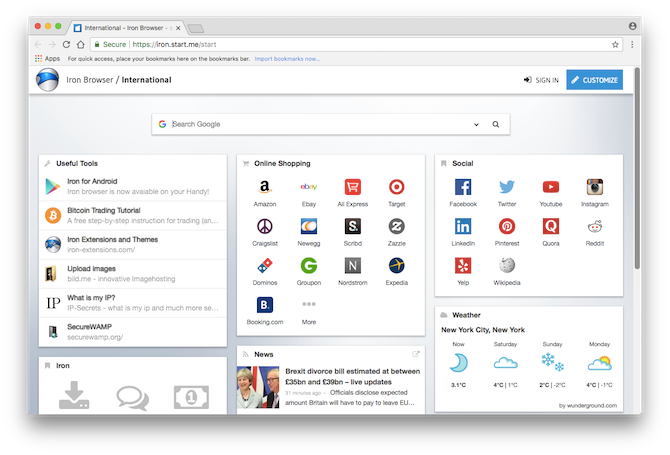
SRWare Iron is another privacy-focused browser that aims to eliminate privacy-compromising functionality from Google Chrome. To accomplish this, it takes a different approach: instead of adding new features, it actually strips down potentially privacy-related functionality from Chrome. It removes Google-hosted error pages, Google Updater, DNS pre-fetching, address bar suggestions, etc.
Surprisingly, the browser itself is surrounded with criticisms. Some have accused it of creating and then solving non-existent issues. While it’s tough to find out the truth, it might just be what you need if you’re overwhelmed with Google’s extensive tracking.
How Much Does Google Really Know About You? How Much Does Google Really Know About You? Google is no champion of user privacy, but you might be surprised just how much they know. Read More
Platforms: Available as a free download for Windows, Mac, Linux, and Android.

8. Comodo Dragon Browser


best alternative chromium browsers
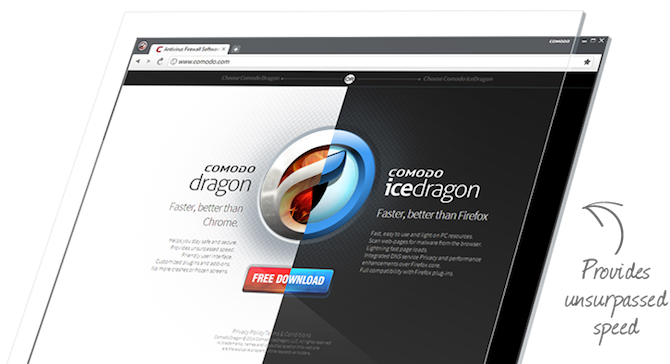
Similar to SRWare Iron, the Comodo Dragon browser disables the privacy-compromising functionality in Chrome. It removes address bar suggestions, bug tracking system, and Google user tracking. The built-in PDF viewer, Google Safe Browsing, and Google Translate also get the boot. It lets users configure their computers to use Comodo’s DNS servers, which performs additional checks to verify the security of websites.
Platforms: Available as a free download for Windows.

9. Torch Browser


best alternative chromium browsers
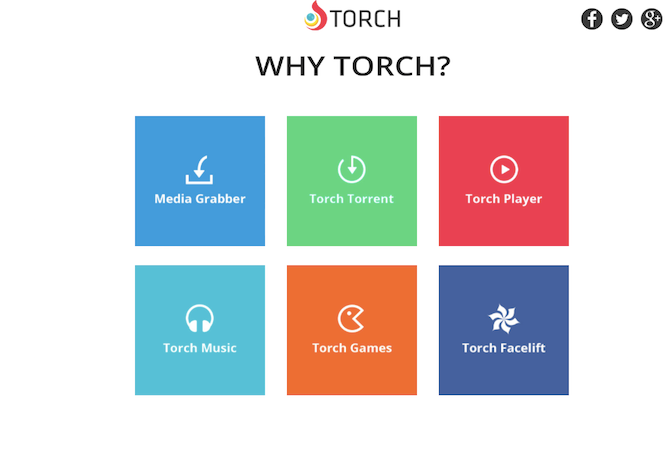
Torch browser puts heavy emphasis on multimedia-related features. It has a built-in Media Grabber that lets you save audio and video files from the internet. Torch Player lets you play videos before they have finished downloading. It also features a built-in torrent client, making it easy to manage torrents straight inside the browser.
Platforms: Torch browser is available as a free download for Windows.

Choose Your Favorite Chromium-Based Browser

Whether you’re looking to enhance your privacy or you’re looking for a fresh new design, there’s a Chromium-based browser for you out there. The only major gripe with some of them is that they can take a while to update to the latest version of Chromium, which means that you could easily miss out on critical security fixes.
My pick among the nine on the list? Opera’s offerings and Vivaldi manage to stay neck-and-neck with Chromium updates, making them a browser of my choice.
It’s your turn now. Tell us about your favorite Chromium-based browser and why? Share your thoughts with us in the comments below.

Source: https://www.makeuseof.com/tag/alternative-chromium-browsers/

July 22, 2018

The best web browser 2018: faster and more secure


The best web browser


The right web browser can make a huge difference to your everyday browsing – whether your priority is faster performance, better security or more flexibility through downloadable extensions.
However, it can be tricky to break out of your comfort zone. The browser you're currently using might not be the best, but you've probably become use to its idiosyncrasies over the years without realising there are better options around that will make your life so much easier.
Here, we’ve put the biggest browsers through their paces (plus some that you may not be familiar with) to identify the browser that best ticks all of these boxes. And, if you have a particular concern, then read on to see if there’s an alternative that might be better suited to your needs.


1. Mozilla Firefox

Firefox is back after a total overhaul, and has retaken its crown
Very fast
Light on system resources
Strong privacy tools


Firefox recently received its biggest update in 13 years, and it's so impressive, it's propelled the browser to the top of our list. 

Firefox has always been known for its flexibility and support for extensions, but in recent years it had started to lag behind the competition in terms of speed. Firefox Quantum, first released last year, represented a total overhaul of the browser's code base, with speeds now comparable with Google Chrome. That's not just on top-end computers, either – the new Firefox makes frugal use of RAM, even with masses of tabs open.

Firefox also scores serious points when it comes to privacy. Mozilla is non-profit, which means it doesn't have the same impetus to sell your data as some other browser developers. The organization also makes regular updates to help protect its users' privacy as internet companies come under increasing scrutiny over the way they treat people's data.
Quantum also introduced a new system for extensions that prevents rogue developers making malicious changes to the browser's internal code. 

It's not always the absolute fastest – for some pages Chrome still has the edge, as Mozilla's own video demonstrates – but the new Firefox has come out swinging and is our pick for the best web browser of 2018 so far.


2. Google Chrome

If your system has the resources, Chrome is 2018's best browser
Fast performance
Infinitely expandable
Resource-hungry


With Chrome, Google has built an extendable, efficient browser that deserves its place at the top of the browser rankings. According to w3schools' browser trend analysis its user base is only rising, even as Microsoft Edge's install numbers are presumably growing. Why? Well, it's cross-platform, incredibly stable, brilliantly presented to take up the minimum of screen space, and just about the nicest browser there is to use.
Its wide range of easily-obtained and installed extensions mean you can really make it your own, and there's support for parental controls and a huge range of tweaks and settings to ensure maximum efficiency.

However, Chrome isn’t without its downsides. It’s one of the heaviest browsers in terms of resource use, so it’s not brilliant on machines with limited RAM, and its performance doesn’t quite match up to others as far as benchmarking is concerned. And, with Google’s tentacles running through it, you may be uncomfortable with how your browsing data is used.
That said, Google is making some moves towards security, and is pushing HTTPS particularly hard. Future versions of the browser will make it very clear when sites aren't using HTTPS encryption, aiming to make it standard throughout the web.

Like Firefox, Chrome now also supports password-free logins via WebAuthn – either to replace traditional passwords completely, or work as a form of two-factor authentication. The browser also offers more features for web app developers, including more consistent experiences across different VR headsets, and the ability to use input from sensors (such as your device's ambient light sensor and accelerometer).


3. Opera

An underrated browser that's a great choice for slow connections
Excellent Turbo mode
Integrated ad-blocker
Fewer plugins than rivals


It's sad that Opera makes up only around 1% of the browser market, because it really is a quality browser. It launches fast, the UI is brilliantly clean, and it does everything its rivals can do with a couple of extras thrown in for good measure.

The key reason we'd at least recommend having Opera installed alongside your main browser is its Opera Turbo feature. This compresses your web traffic, routing it through Opera's servers, which makes a huge difference to browsing speed if you're stuck on rural dial-up or your broadband connection is having a moment.

It reduces the amount of data transferred too, handy if you're using a mobile connection, and this re-routing also dodges any content restrictions your ISP might place on your browsing, which can be mighty handy. Opera automatically ducks out of the way if you're using secure sites like banks so your traffic is free and clear of any potential privacy violation.

There's also an integrated ad-blocker – which can be switched off if you're morally inclined in that direction – and a battery-saving mode which promises to keep your laptop going for longer.


4. Microsoft Edge

Microsoft's new browser offers full integration with Windows 10
Very fast
Built-in reading mode
Not backwards compatible


The default 'browsing experience' on Windows 10, and unavailable for older operating systems, Edge is an odd one. Quite why Microsoft needs to be running a pair of browser products in tandem rather than making Edge backwards compatible is beyond us. The company's reason, it seems, is that Edge represents the more user-friendly end of Redmond's offering while Internet Explorer scales a little better for enterprise.

Integration with Windows 10's core gimmicks seems to be Edge's main strong point. It happily runs as a modern-skinned app on Windows 10's tablet mode, and works with Cortana. It's also highly streamlined for the current web age, doing away with insecure protocols like ActiveX and forcing you into Internet Explorer if you want to use them. We're more used to browsers failing to render newer pages than we are to being told off for visiting older corners of the web.

Curmudgeonly grumbles aside, actually using Edge is a perfectly pleasant experience. It's super-quick, hammers through benchmarks, its integrated reading mode makes complex sites more palatable, and by sandboxing it away from the rest of the operating system Microsoft has ensured that Edge won't suffer the security breaches of its older brother.
It's just a shame that Microsoft is quite so insistent on forcing Edge upon Windows 10 users, making it the default browser for links opened in the Mail app, adding shortcuts to your desktop after major OS updates, and presenting it as a potential result if you start typing 'Firefox' in the Cortana search box.


5. Microsoft Internet Explorer

Fast and efficient, but less expandable than Firefox and Chrome
Make frugal use of resources
Clean design
Poor plugin support


Microsoft Internet Explorer has seen some ups and downs in its long tenure, from dominating the browser charts to languishing behind its main two competitors. This is partly an issue of choice – particularly the browser choice that Microsoft was forced to give customers after a court ruling – and partially because older versions fell behind the rendering and compatibility curve.

There are no such issues with Internet Explorer 11. It's clean, powerful, highly compatible, and it demands less of your RAM and CPU than equivalent pages would on Chrome or Firefox. Plus it one-ups both of them on WebKit's Sunspider benchmark.

That's not to say this browser is perfect. Google's V8 benchmark sees it struggling, and IE isn't quite as able to handle add-ons and extensions as many of its competitors. So while there's no reason to avoid IE like there might once have been, if you're looking for a more customised browsing experience you're out of luck.


6. Vivaldi

Build your own browser with unique docking and tab-stacking
Incredibly customizable
Creative interface features
Not the fastest


Here's something a bit different. We all spend probably far too much time sitting in front of our web browsers, and up-and-comer Vivaldi wants to make that as pleasant and personal an experience as possible.

The whole style and structure of its interface is entirely up to you. There's a built-in note-taking system, you can dock websites as side panels while using the main window to do your main browsing, and we love its innovative tab stacking tech, which allows you to group up tabs and move them around to avoid the crowding that so often plagues other browsers.
Vivaldi is built on Chromium, which means you can expand it even further with extensions from the Chrome Web Store. Just pick your preferred plugin and click 'Add to Chrome'. Some extensions might behave slightly differently in Vivaldi, but most work perfectly.

Vivaldi is a refreshing and creative take on web browsing, and one to watch in the next couple of years as more features are added.


7. Tor Browser

More than just a browser – a whole suite of online security tools
Keeps browsing private
Blocks tracking cookies
Performance is slow


Tor Browser is, perhaps unjustly, most regularly associated with the seedy underworld of the dark web. While it's true that you can use this web browser to access otherwise unlisted sites, Tor's privacy aspects – where your traffic is routed through random nodes the world over, making it very hard to track - are its real asset.

Tor Browser is really a package of tools; Tor itself, a heavily modified version of the Firefox Extended Support release, and a number of other privacy packages that combine to make it the most secure browsing experience you're likely to find. Nothing is tracked, nothing is stored, and you can forget about bookmarks and cookies.

You'll need to alter your browsing habits to ensure that you don't perform actions online that reveal your identity – Tor Browser is just a tool, after all – but for a secondary browser useful for those private moments it's a great choice. Run it from a USB stick and nobody need even know you have it at all.

May 30, 2018

The 7 Best Free Online Flowchart Makers

Flowcharts may not be what one thinks of as a good time, but there’s no denying that they’re incredibly useful. In fact, we’ve previously outlined creative ways to use flowcharts to streamline your life and work, in case you need ideas.
While there are great flowchart makers for Windows and other platforms, sometimes an online, web-based solution is best. That’s because these don’t need a specific hardware configuration or operating system to work—all you need is a web browser.
Here are some of the best online flowchart makers that you can use for free or at an affordable price.


1. Lucidchart

best free online flowchart makers


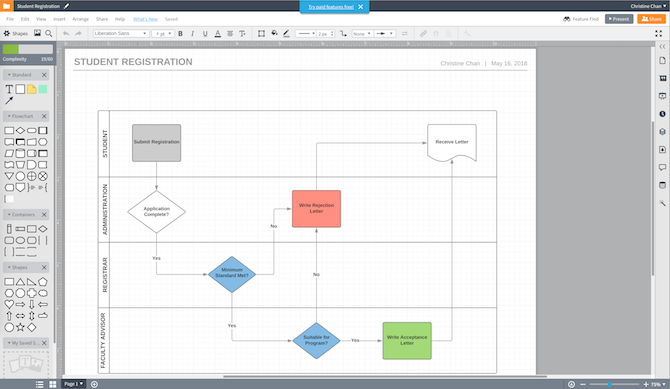
When it comes to these diagrams, Lucidchart is one of the best and most reliable online flowchart makers available.
The fast and fluid drag and drop interface makes it easy to create and manage flowcharts. There are pre-made templates to choose from, or you can start with a fresh blank canvas. Even free accounts get access to basic shapes, arrows, and text boxes. That is enough to get started.
Collaboration is also available for the free tier. But there are some limitations. For example, a Team user can collaborate with a Free user, but the Free user can only edit if it has 60 or fewer objects and if there aren’t any paid-level objects in it.
You can save Lucidchart documents in multiple formats. Lucidchart supports JPEG, PDF, PNG, SVG, and Visio (VDX) formats. There’s even support for importing from Amazon Web Service (AWS), Visio (VSDX), Omnigraffle, and more. And if you need to finish a flowchart later, all of your data gets stored in their cloud, so you just pick up where you left off.
Lucidchart has a free basic account tier, as well as paid plans starting at $5.95 per month for Home, $8.95 for Pro, and $20 for Team. The paid options provide more features such as more storage, unlimited shapes and documents, data linking, Microsoft Visio import, and more. If you stick with a free account, you get 25MB of storage and up to five documents.
Lucidchart is an excellent option to consider if you are looking for an alternative flowchart creator to Visio. It’s accessible from any device with a web browser, has a streamlined and intuitive design, and is affordable.
Lucidchart Is the Visio Alternative You've Been Waiting For Lucidchart Is the Visio Alternative You've Been Waiting For You might not have heard of Lucidchart before, but I bet you've heard of Microsoft Visio. Read More


2. draw.io

best free online flowchart makers


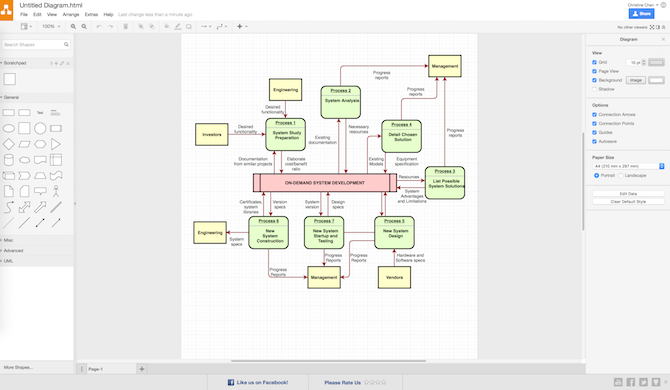
daw.io fits the bill for anyone looking for a completely free flowchart solution.
There’s no account to sign up for with draw.io. All you need to do to get started is choose your storage space, which gets remembered for later. Options include Google Drive, Dropbox, OneDrive, and local storage. If you need collaboration with others, Google Drive is the best choice since draw.io leverages Google Drive’s collaboration features.
Once you pick your storage space option, you can then make a new flowchart diagram from scratch, or use a template from the ones provided. There are only five flowchart templates to pick from (while Lucidchart has over 10 templates). There are other non-flowchart diagram templates if you need them.
If draw.io has the kind of flowchart you need, then go for it. You can add shapes, arrows, and other objects from the side menu just by dropping it in. Everything’s fairly straightforward with draw.io, though it’s not as intuitive or streamlined as Lucidchart.
draw.io supports file imports, and you can import from JPEG, PNG, SVG, Gliffy, Lucidchart, and VSDX. Diagrams you create with draw.io get saved or exported as HTML, JPEG, PDF, PNG, SVG, and XML.
Unlike a lot of the other options, draw.io is completely free with no option for paid accounts. It has a somewhat limited feature set and isn’t as good as other tools, but you can’t beat the price of free.


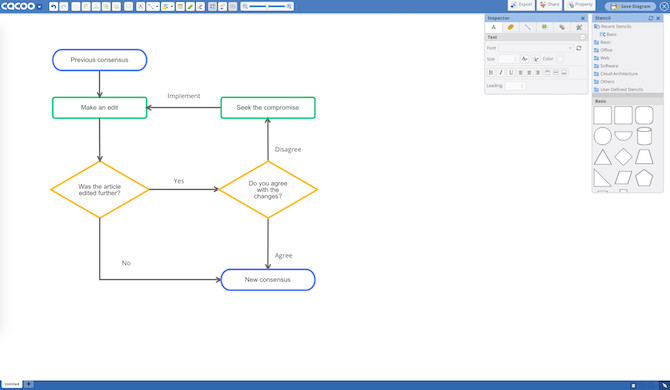
3. Cacoo

best free online flowchart makers


If real-time collaboration is a requirement for your online flowchart maker, then Cacoo has the others beat.
Much like Lucidchart, Cacoo comes with a super streamlined and fluid interface that’s pleasant on the eyes. Cacoo comes with a multitude of templates for your project, whether it’s flowcharts, wireframes, Venn diagrams, and a rich variety of other diagrams. For flowcharts, Cacoo has an extensive range of shapes to choose from, no matter the type of project. And everything’s done through simple drag-and-drop.
The best feature of Cacoo is the real-time collaboration. Multiple people on your team can work on the flowchart at once. Also, there’s a chat feature so you can see and comment on changes as they happen. And since things can get a bit complicated with multiple people working on one document at the same time, Cacoo provides memo fields so you can keep track of who’s involved.
Cacoo seems built with teams in mind, which you clearly see with their project folders and security settings for members. Cacoo’s still great for single users, as you get storage for 1000 sheets, unlimited sharing, SVG import and export, and more.
The pricing for Cacoo is reasonable enough. Single users can get a plan starting at $4.95 per month, and then there’s the Team level starting at $18 per month for three users (and they go up from there). The Enterprise level allows you to install Cacoo on your own private server, and that starts at $600 a year for 10 users. All account levels come with a 14-day free trial.


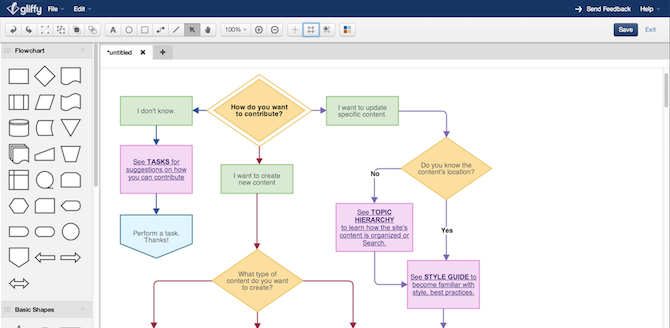
4. Gliffy

best free online flowchart makers


In the moments when you just need a simple and lightweight tool for the job, consider Gliffy.
Compared to the other services, Gliffy is a bit more barebones. It’s a good option when you need to flowchart an idea quickly and easily.
You can create any flowchart in just a few clicks. There are basic templates available that make it even easier to reach your final product. However, when you start to get down and fine-tune your flowcharts, the editing process is not as smooth as others, like Lucidchart. There are a few quirks that may slow you down a bit, but snap-on grids and other alignment tools are nice to have.
As an HTML5 cloud app, it can work offline too. And when you need to collaborate, Gliffy provides ways to share and even invite others to view, edit, or leave comments, but the collaboration isn’t as powerful as other flowcharting tools.
Gliffy offers plans starting at $7.99 per month for single users, and a team plan for $4.99 per month, both billed annually. For enterprise users, it includes everything in the team plan, but with even more security and features.


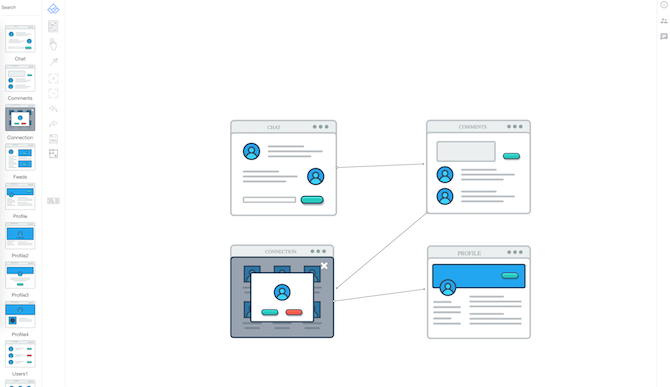
5. Wireflow

best free online flowchart makers


Another completely free option for your consideration is Wireflow. It is the perfect tool for web developers and app designers.
Wireflow is a beautiful flowchart tool for designing user flows and wireframes. A pretty and intuitive interface offers a variety of different chart designs, that you can drag-and-drop onto a fresh canvas. There are many connectors to choose from, and everything’s manageable through drag-and-drop.
When you’re done creating your diagram, you can export the final product as a JPG. This is the biggest drawback of Wireflow, as you’re unable to pick a different format. Again, it’s free to use with no options for paid plans, so that’s expected. There’s also quite a lot of scrolling involved since there are so many different chart types to go through.
If all you need are to create flowcharts to demonstrate user flows for software, then Wireflow gets the job done.


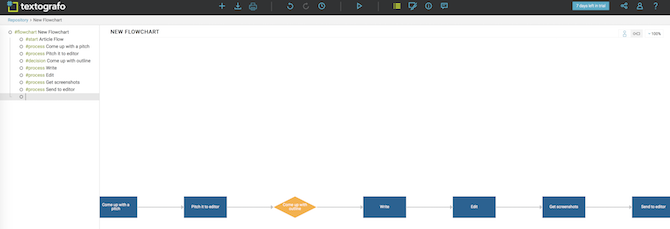
6. Textographo

best free online flowchart makers


Need to create flowcharts but don’t want to deal with the finicky positioning of shape objects and arrows? Then Textographo is for you.
Textographo is a unique flowchart tool that uses text. All the user needs to do is type out their chart in a specific text syntax that uses hashtags, keywords, and some markup. Textographo takes this text and turns it into static and animated diagrams that include flowcharts, mindmaps, organizational charts, decision trees, and much more.
Once you’ve got the text laid out, Textographo automatically gets to work and organizes everything into diagram form. It’s super easy, intuitive, and streamlined. Users may also customize it by choosing a theme they like or changing the layout to something else that better suits their needs.
Since Textographo saves all documents in their cloud, you’re able to collaborate with your team by inviting them to view, give feedback, and share ideas.
There are two account levels for Textographo: Essentials and Premium. Essentials starts at $8 per month if billed annually, or $12 per month. Premium costs $14 per month annually, or $19 per month. Considering the distinctive and convenient system Textographo uses, the cost is fairly reasonable.


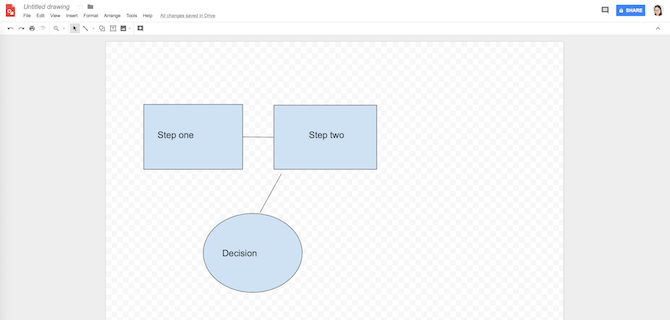
7. Google Drawings

best free online flowchart makers


If you’re already using a Google account, then there’s a free option that’s already been available to you: Google Drawings.
In order to access Google Drawings, you’ll first need to get to your Google Drive. Then just click Create New and choose Google Drawings under the More option.
Use the extensive shapes in Google Drawings. Add basic shapes, arrows, callouts, and even equation symbols to your blank canvas. You move everything around through simple drag-and-drop, and you can resize and rotate as needed.
And since Google Drawings is through Google Drive, sharing and collaborating is no problem. Just invite others through email, and give them permissions to view, edit, or comment. You’re able to export your flowchart as an image file or SVG, or you could even publish it to the web.
Google Drawings is free to use since it’s through your Google account, where you get 15GB of free storage across all Google apps. The storage space can get upgraded to 100GB, 1TB, or 10TB for $1.99, $9.99, or $99.99 per month, respectively.

The Best Solution for Visual Brainstorming

Flowcharts are an incredibly powerful tool. They lay out complex processes into a much more simple and easy to understand manner, and complicated projects don’t seem so scary anymore.
We’ve just discussed the best options for online-only flowchart services—some are completely free, and others offer just free trials of their premium plans. But like everything in life, you get what you pay for. That’s why we prefer Lucidchart when making flowcharts online.

Source: https://www.makeuseof.com/tag/free-online-flowchart-makers/

4 Anonymous Web Browsers That Are Completely Private

Private information is big business. It should come as no surprise, therefore, that everyone is trying to watch you. The NSA, the UK government, Microsoft, cyber-criminals, your creepy neighbor from across the street; they all want to know what you’re doing, all the time.

Unfortunately, unless you want to take excessively drastic measures, it’s almost impossible to remove yourself from the global grid completely. But there are some steps you can take to reduce your information footprint.
One of the best places to start is with your browser. It’s your main portal to the web, so using a more secure option will make a big difference to your privacy.
Here are four anonymous web browsers that are (almost) completely private.


1. Tor Browser

Available On: Windows, Mac, Linux
The Tor network has one simple goal: anonymous communication. The network aims to protect a user’s location, browser history, personal data, and online messages from any person or bot that’s performing network traffic analysis.

How it Works

Network traffic analysis is arguably the most powerful weapon in a data collector’s armory. It can track your behavior and interests for advertising companies, it can lead to price discrimination on online shopping sites based on location, it can even reveal your identity to people who might want to silence or harm you.
Basic encryption techniques don’t protect you against traffic analysis. Data sent over the internet has two key aspects: the payload and the header. The payload is the actual data (for example, the contents of an email), the header helps the data get to its destination. It includes information such as source, size, and timestamps. Encryption can only hide the payload, not the header.
And that’s when Tor comes in. It sends your internet traffic through so many individual relays and tunnels that the header is nonsensical to traffic analysis tools. In simple terms, instead of going directly from A to B, the network sends your traffic on a mazy route through lots of locations. A sniffer looking at a single point on that route has no way to tell where the traffic originated or where it’s going.

Browser Features

To access the Tor network, you need to use the Tor Browser. It’s so secure that the US Navy uses it for intelligence gathering and by law enforcement organizations who want to visit websites without leaving government IP addresses in the site’s log.

You don’t need to install any software on your machine; the browser is a portable app that can live on a USB stick. It means you can use the service regardless of what computer you’re working on, even if it’s in a public location such as a library or university.


The browser itself will be instantly recognizable to Firefox users, but there are a couple of notable changes. The biggest difference is the integration of NoScript; it’s included by default. Unlike the regular NoScript add-on – which can be complicated to use – the Tor version has an easy-to-use slider to manage your privacy.
There are also some downsides to using the Tor Browser. For most users, the biggest issue is speed. Because your traffic is taking such a twisty route to get to its destination, your browsing experience will not be as fast. If you have a good connection, it might not be an issue, but if your internet speed is slow, Tor might become painful to use.
Ultimately, Tor doesn’t guarantee anonymity. Taking online risks – such as downloading torrents or using unscrupulous browser plugins – will still leave you vulnerable. But when compared to the mainstream browsers like Chrome and Safari, there is no contest.


Other Options

No other browser comes close to Tor in terms of privacy and anonymity, but three other options deserve your attention.
They’re ideal if Tor sounds a bit extreme, but you still don’t want to give Google et al a free reign on your personal data.


2. Epic Browser

Available On: Windows, Mac
Epic Browser doesn’t use a specialized onion network, but it does immediately disable lots of the most common ways your privacy is comprised when you’re surfing the web.
For example, it doesn’t save your history, there’s no DNS pre-fetching, it doesn’t allow third-party cookies, there are no web or DNS caches, and there’s no autofill feature.


When you close your session, the browser automatically deletes any associated databases, preferences, pepper data, and cookies from Flash and Silverlight.


3. SRWare Iron

Available On: Windows, Mac, Linux, Android
If you’re a Google Chrome user, SRWare Iron will be familiar; it’s based on the open-source Chromium project, so a lot of the on-screen visuals look very similar.
The main difference between Chrome and SRWare Iron is data protection. Experts have criticized Chrome for its reliance on a “Unique User ID”; every time you start a session, Google is alerted to your data usage.
SRWare strips out the usage of an ID along with other Chrome privacy concerns such as search suggestions.

Check the table below for a complete list of differences between the two:


4. Comodo Dragon Browser


Available On: Windows, Mac, Linux
Again, Comodo doesn’t come close to Tor Browser, but it does have some built-in tools that’ll make browsing the web a safer experience.
It’ll automatically block all tracking, cookies, and web spies, it comes with built-in domain validation technology that’ll instantly segregate strong and weak SSL certificates, and it uses the Comodo anti-virus suite to protect you from malware, viruses, and other attack vectors.

Like SRWare Iron, it’s based on Chrome, so it’ll be an easy switch for a lot of people.


Which Browser Do You Use?

There are some other privacy-orientated browsers which deserve an honorable mention such as Yandex and Dooble – but in my opinion, the four I’ve listed are the clear winners.
However, I’m sure many of you don’t agree with me. Now it’s your turn to share your favorites; which browser do you turn to when you want to stay anonymous and out-of-sight?


Source: http://www.makeuseof.com/tag/2-anonymous-web-browsers-completely-private-secure/